
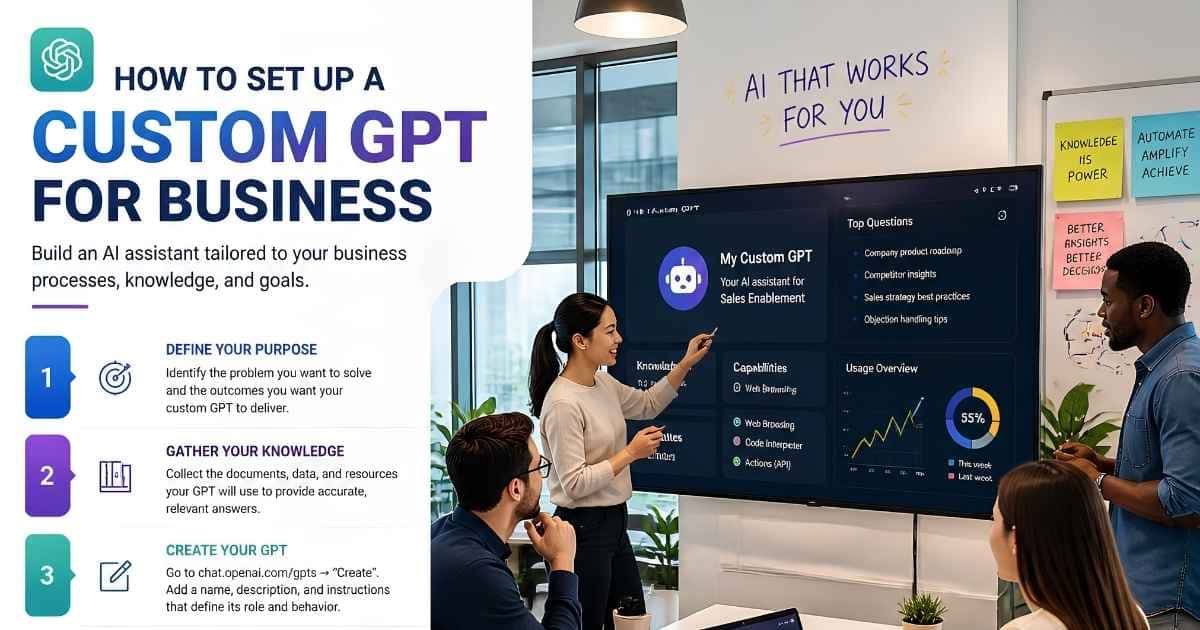
Most business owners hit the same wall with AI: ChatGPT is useful, but you end up retyping the same lengthy prompt every session just to get consistent results. That’s exactly why learning how to set up custom GPT for business workflows matters so much right now. Instead of re-explaining your brand voice, your process, or product details every time, you build those instructions once inside a knowledge base and reuse them indefinitely.
The setup itself isn’t technically difficult — OpenAI’s builder requires no coding at all. What actually separates a GPT that saves hours from one abandoned after a week comes down to system prompt clarity and defining the role before you ever open the builder.
What Is a Custom GPT (And Why Your Business Needs One)
A custom GPT is a version of ChatGPT configured with specific instructions, reference files, and capabilities so it behaves consistently without re-explaining context every time — like a trained employee who already knows your process.
Think of it less like a chatbot and more like a team member who already knows your brand voice, your standard operating procedures, and where to draw the line.
According to OpenAI’s own documentation, the editor lets you build conversationally or configure fields directly. No coding knowledge is required either way.
That accessibility is exactly why so many small teams are adopting this now. You don’t need a developer to connect a knowledge base or write custom logic — you need clarity about the task you’re trying to offload.
The shift in mindset matters more than the tool itself. Rather than treating AI as a search box you interrogate from scratch each time, a custom GPT lets you treat it more like a role you’ve hired for. You define the job once, hand over the context it needs, and consistency follows.
Custom GPT Pricing & Plan Requirements
Building a custom GPT requires ChatGPT Plus ($20/month), Team, or Enterprise. Free users can use published GPTs but can’t create their own.
ChatGPT Plus vs Team vs Enterprise — Which Plan Do You Need?
| Plan | Approx. Price | Best For |
|---|---|---|
| ChatGPT Plus | $20/month | Solo founders, freelancers |
| ChatGPT Team | Custom, per-seat pricing | Small businesses, agencies |
| ChatGPT Enterprise | Custom, per-seat pricing | Larger organizations needing admin controls |
Once published, anyone with a ChatGPT account can use the GPT you’ve built — including free users — provided you’ve shared it publicly or via a direct link. That distinction matters if you’re building something for customers rather than internal staff.
Step-by-Step: How to Set Up Custom GPT for Business
Here’s where the actual build happens. Skipping the planning stage is the single biggest reason people end up with a GPT that feels vague or unreliable.
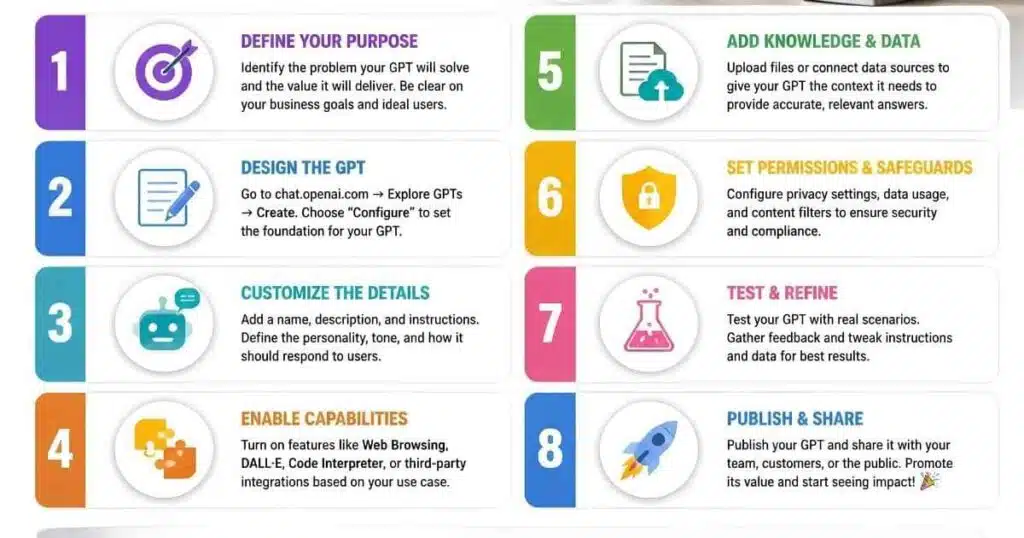
Step 1 — Define the Role Before Opening the Builder
Write down what this GPT is responsible for — and just as importantly, what it isn’t. A GPT built to answer customer FAQs shouldn’t also draft legal contracts. Vague scope produces vague output.
Step 2 — Write Your System Prompt & Instructions
Your instructions define tone, structure, and decision-making for every conversation. Structure them like onboarding documentation for a new hire: responsibilities, boundaries, and what “good” looks like.
OpenAI recommends explicit step structure for multi-step workflows — phrasing like “when X happens, do Y” — and favoring positive instructions over long lists of prohibitions.
Step 3 — Upload & Organize Your Knowledge Base
Knowledge files give your GPT source material to reference, separate from behavioral instructions. You can attach up to 20 files, each as large as 512 MB.
Quality matters more than volume. Outdated or contradictory files confuse the model, so a smaller, well-organized set almost always outperforms a bloated one.
Step 4 — Set Capabilities (Web Browsing, Code Interpreter, Actions)
Capabilities extend what your GPT can do — web search, code interpreter, or actions for connecting to external APIs. Enable only what the role genuinely requires. Stacking on extra tools weighs down the instructions and increases inconsistent behavior.
Step 5 — Add Conversation Starters
These example prompts shape how users engage with your GPT from the first message. A customer-facing GPT benefits from more guided starters, steering non-expert users toward useful questions.
Step 6 — Test With Real Business Scenarios
Don’t test with hypothetical “is this smart” questions. Run the actual tasks your team handles weekly. If something feels off, tighten the instructions before adding more features.
Step 7 — Publish, Share & Set Version History
Publish the GPT and choose its visibility: only you, anyone with a link, or fully public via the GPT Store. Version history lets you review or restore earlier configurations as your business — and your GPT’s job — evolves.
Business Use Cases for Custom GPTs (With Example Prompts)
Different departments benefit from a custom GPT for business in different ways. Here’s a quick-reference table.
Department-by-Department Use Case Table
| Department | Task | Example Prompt Focus |
|---|---|---|
| Sales | Lead qualification | “Score this lead based on our ICP criteria” |
| HR | Onboarding support | “Answer new hire questions using our handbook” |
| Customer Service | FAQ handling | “Respond using our approved tone and policies” |
| Marketing | Content repurposing | “Turn this transcript into a blog and email” |
Real-Life Example: Turning Video Content Into a Full Content Pipeline
Marketing consultant Jillian Wise built a custom GPT to repurpose her YouTube transcripts into SEO-optimized blog posts, email teasers, and social captions — all in her own voice, since the GPT works from her existing content rather than generating ideas from scratch.
According to her detailed case walkthrough, a process that used to take roughly four hours now collapses into a fraction of that time. That frees her up to focus on producing better videos instead of repurposing busywork.
The pattern worth copying: she didn’t ask the GPT to think creatively for her. She asked it to support a workflow she’d already defined — exactly the distinction between a GPT that helps and one that adds noise.
Connecting Custom GPTs to Your Business Tools (Actions & API Integration)
Actions let a custom GPT call external APIs to pull data or trigger workflows in tools like your CRM or calendar. A GPT can use either apps or actions, not both at once.
Integrating CRM, Slack, and Calendar Tools
For most small businesses, this means connecting a GPT to a CRM so it can pull lead data, or to a scheduling tool so it can check availability before suggesting meeting times. These integrations require more technical setup than the core builder, so budget extra time if your use case depends on live data.
Data Security & Privacy for Business Custom GPTs
This is where most business guides go quiet, but it deserves real attention if you’re handling customer information.
What Not to Upload (Confidential & Customer Data)
Avoid uploading sensitive information such as customer social security numbers, payment details, or proprietary data you wouldn’t want exposed if a file were downloaded. Treat your knowledge base like a shared company drive — useful reference material, not a dumping ground for anything sensitive.
Managing Access: Private, Link-Only, or Public
Choose visibility deliberately. Private keeps a GPT for your own use, link-only suits internal teams or vetted clients, and public makes it discoverable in the GPT Store. Anything client-facing needs tighter constraints, since you can’t predict every way a stranger might phrase a request.
Common Custom GPT Problems & How to Fix Them
Even a carefully built GPT can drift. Here are the most common issues, with quick fixes.
- “My GPT isn’t using my knowledge files” — usually means files are too long, contradictory, or the instructions never say when to reference them. Break large documents into smaller, purpose-driven files.
- “The outputs are inconsistent or off-brand” — almost always a clarity problem. Add examples of ideal output and tighten tone instructions.
- “My GPT keeps doing things I didn’t ask it to” — a boundary issue. Add explicit exclusions describing what the GPT should never do.
Conclusion — Getting Started With Your First Business Custom GPT
Understanding how to set up custom GPT for business use really comes down to clarity, not complexity. You don’t need to code, and you don’t need a massive budget — you need one clearly defined task, a well-written system prompt, and a small, organized knowledge base your GPT can actually rely on.
The businesses seeing real results, like Jillian Wise’s content repurposing workflow, all started small and tested against real scenarios before expanding further. So pick one repetitive task eating up your team’s time this week, build your first GPT around it, and measure whether it genuinely lightens the load. Once it does, you’ll have a repeatable process for tackling the next bottleneck too.
Frequently Asked Questions
Do I need ChatGPT Plus to create a custom GPT?
Yes. Building or editing a GPT requires a paid plan — Plus, Team, or Enterprise.
Is it free to create and use a custom GPT?
Creating one requires a paid subscription. Once published, free ChatGPT users can use it if you share it publicly or via link.
Can I sell my custom GPT?
Some creators monetize custom GPTs indirectly through the GPT Store or by bundling them into paid products, though direct sales depend on OpenAI’s current store policies.
How secure is a custom GPT for business data?
Security depends largely on what you upload and how you set access permissions. Avoid sensitive data in knowledge files, and restrict visibility for anything client-facing.
Can I connect a custom GPT to my company’s software?
Yes, through Actions, which let a GPT call external APIs to retrieve data or trigger workflows in tools like your CRM or calendar.

Abdul Manan is a professional SEO content creator and AI-SEO strategist at seofyai.com. He specializes in helping businesses rank higher on Google through AI-powered, data-driven content optimization. Connect on LinkedIn or visit seofyai.com for expert SEO tips.