
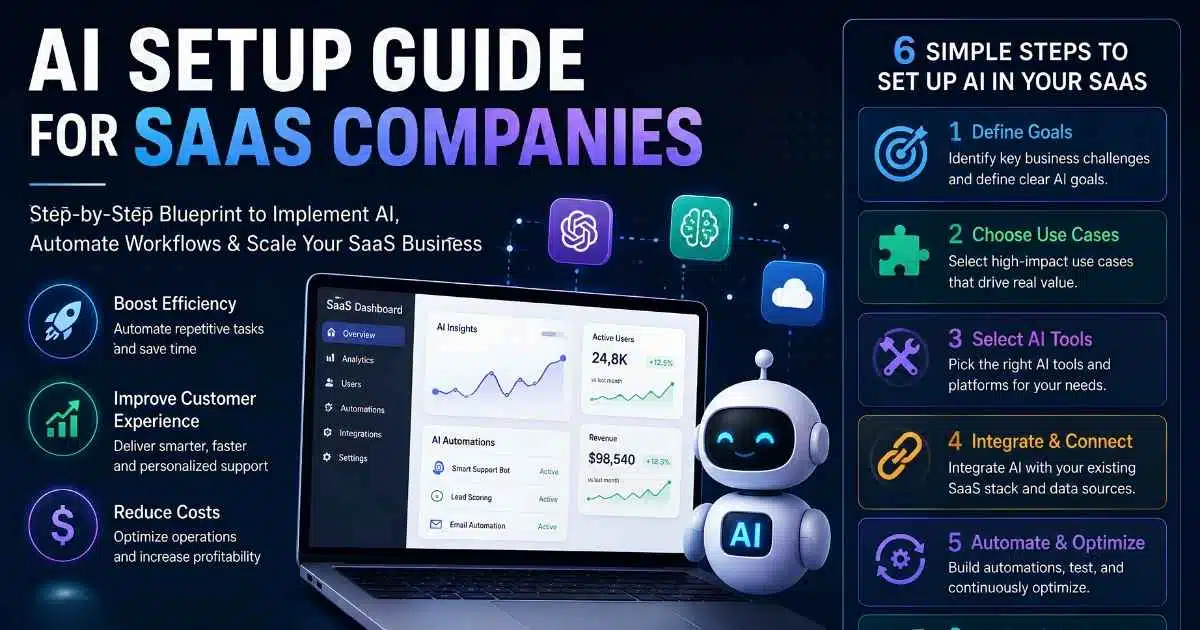
Choosing the right AI setup guide for SaaS companies starts with picking the correct path before spending a single dollar. Most teams jump straight into buying AI tools or building a chatbot without asking whether their real need is faster daily operations, new product features, or automating a repetitive workflow.
That confusion leads to wasted budgets and stalled rollouts within the first quarter. This guide breaks the decision into three clear paths, backed by real costs, a practical 30-day timeline, and the governance risks most articles skip entirely.
Whether you’re evaluating no-code agents, planning a custom AI integration, or simply testing your first tool, this framework helps you move with clarity instead of guesswork.
Which “AI Setup” Do You Actually Need?
Before you spend a single dollar, answer one question: are you trying to work faster, build something new, or automate a repeat task? Each answer points to a different path, and mixing them up is the fastest way to waste a quarter chasing the wrong project entirely.
Tools, Product Features, or Internal Agents
If your team wastes hours on manual work, like data entry or reporting, you likely need AI tools for daily operations. If your customers are asking for smarter features inside your product itself, you need to build AI features directly into your codebase.
If a repetitive workflow, like support tickets or lead follow-ups, eats your team’s time, you need an AI agent instead. Most SaaS companies actually need all three eventually, just not all at once, and rarely in the order a vendor’s pricing page suggests.
Path 1: Adopting AI Tools for Daily Operations
This path is the fastest to start and the easiest to undo. You’re not building anything from scratch. You’re plugging existing AI-powered SaaS tools into work your team already does, things like analytics, QA testing, or project updates that currently eat hours every week.
The global AI SaaS market is projected to grow from $20.01 billion in 2025 to $85.7 billion by 2032, which tells you how fast this category is moving and why waiting too long carries its own cost. Start with one team, one tool, one clear task.
A tool that helps your QA team catch bugs faster, or your ops team build forecasts without a spreadsheet marathon every Friday, proves the value before you commit to anything bigger or more expensive.
Path 2: Adding AI Features to Your SaaS Product
This path means AI becomes part of what you sell, not just how your team works internally behind the scenes. It’s a bigger investment than the first path, but it can directly increase what customers pay you, or reduce how many of them cancel each month.
Real Cost by Feature Type
Costs vary a lot depending on what you build. Here’s a realistic breakdown based on current development pricing.
| Feature Type | Build Cost | Monthly API Cost | Timeline |
|---|---|---|---|
| Content generation | $5K–$12K | $50–$200 | 1–2 weeks |
| Categorization/triage | $5K–$10K | $50–$150 | 1–2 weeks |
| Intelligent search (RAG) | $8K–$15K | $100–$300 | 2–3 weeks |
| Chatbot assistant | $10K–$25K | $200–$500 | 2–4 weeks |
| Full AI agent | $20K–$50K | $500–$2K | 4–8 weeks |
Start with the smallest feature that solves a real user problem, not the one that sounds most impressive in a sales deck. A simple content-generation tool that saves users real time often earns more trust than a flashy AI agent nobody fully understands yet.
Path 3: No-Code AI Agents for Support and Ops Automation
This path sits between the other two. You’re not writing code, and you’re not just buying a generic tool off a pricing page. You’re building a custom AI agent using a no-code platform, aimed squarely at one specific internal workflow that already causes real pain.
By January 2026, 72% of enterprises are using or testing AI agents in production, with customer support leading adoption at 49%. The results back up the hype in this case: AI agents now handle roughly 80% of routine support interactions, cutting support costs by 30% and speeding up response times by 60%.
That’s not a small win buried in a vendor case study. That’s a genuinely different cost structure for support as your customer base keeps growing, which is exactly the kind of practical detail any real AI setup guide for SaaS companies should include.
Custom Build vs No-Code: Real Cost Comparison
These two paths often solve the same problem at very different price points, and picking the wrong one wastes either money or time you didn’t need to spend.
Custom development through an agency runs $5,000 to $50,000 depending on complexity, plus ongoing API costs, and takes one to eight weeks from kickoff to a working feature. No-code platforms let a non-technical team member build a working agent in under an hour, though getting it truly production-ready still takes real testing time before you trust it with live customer data.
Custom builds make sense when your workflow is complex or deeply tied to your own codebase and existing database structure. No-code makes sense when speed matters more than deep customization, and your team wants to iterate quickly without waiting weeks on a developer’s sprint schedule.
Your First 30 Days: A Practical Setup Timeline
A clear timeline beats vague ambition, especially when three teams each think they own the rollout.
Week-by-Week Breakdown
- Week 1: Talk to support, ops, and sales. Find one task that happens 20+ times a week with a predictable pattern nobody’s automated.
- Week 2: Map that workflow exactly — what data it needs, which systems touch it, where it breaks when a human handles it.
- Week 3: Build a basic version (no-code agent or scoped developer project). Don’t try to handle every edge case yet.
- Week 4: Test against real data, with a human checking every output before it goes live.
- Week 5+: Expand only once the first workflow runs smoothly without daily babysitting.
A Real Example
A 12-person project management SaaS startup kept missing renewal deadlines because nobody had time to track them across dozens of client accounts.
In week one, the founder picked contract renewal tracking — the task everyone complained about most. By week four, a simple no-code agent was pulling renewal dates, drafting reminder emails, and flagging at-risk accounts for human review.
Nothing fancy — just one painful task solved cleanly, saving the ops team roughly six hours a week in the first month. That win earned the founder approval for a second workflow the next quarter.
Risks and Governance Nobody Mentions Until It’s Too Late
AI setup isn’t just a technical project. It’s a data and trust project too, and skipping that part causes real damage later, usually right around the time you’re ready to scale what worked in testing. Gartner expects 60% of AI projects to be abandoned through 2026 over poor data readiness alone, not because the AI itself failed at the task it was given.
Watch for a few specific risks as you build any part of this AI setup guide for SaaS companies into your own plan. Data quality matters more than model quality, since messy or outdated records lead an AI agent to confidently produce wrong answers that sound perfectly plausible.
Integration complexity gets underestimated constantly, since connecting an agent to your CRM, billing system, and support desk each take real setup time nobody budgets for upfront.
And compliance can’t be an afterthought, especially with frameworks like the EU AI Act requiring risk management and human oversight for higher-risk AI systems handling customer data.
Conclusion: Start With One Workflow, Not Everything
A genuinely useful AI setup guide for SaaS companies comes down to one decision made correctly: pick the right path for your actual goal, whether that’s adopting a tool, building a feature, or automating a workflow with an agent. Trying to do all three at once is exactly how most AI projects stall out before they ever prove their value to anyone signing the budget.
Start small. Pick one team, one workflow, one clear win you can point to in a month. Measure it honestly, fix the data problems it reveals along the way, and only then expand to the next one.
That sequence, boring as it sounds compared to a big-bang AI rollout, is what separates SaaS companies actually getting value from AI in 2026 from the ones still stuck reading comparison articles instead of shipping anything.
Frequently Asked Questions
What’s the cheapest way to start with AI for a SaaS company?
Adopting one existing AI tool for a single team task, like QA testing or reporting, is the cheapest and fastest starting point, often costing under $100 a month with no development required.
How much does it cost to add AI features to a SaaS product?
Costs range from $5,000 for simple content generation to $50,000 for a full AI agent handling complex workflows, plus $50 to $2,000 monthly in ongoing API costs depending on usage.
Do I need developers to set up AI agents for my SaaS company?
Not always. No-code platforms let non-technical team members build working agents for internal workflows. Adding AI features directly into your product’s codebase typically does need developer involvement.
How long does a basic AI setup take for a SaaS company?
A focused, single-workflow setup usually takes about four weeks from picking the task to testing a working version, based on the step-by-step timeline most successful teams follow.
What’s the biggest mistake SaaS companies make with AI setup?
Trying to automate everything at once instead of starting with one specific, high-volume, predictable workflow. Most failed AI projects trace back to scope that grew too fast, too early.

Abdul Manan is a professional SEO content creator and AI-SEO strategist at seofyai.com. He specializes in helping businesses rank higher on Google through AI-powered, data-driven content optimization. Connect on LinkedIn or visit seofyai.com for expert SEO tips.