

Information overload is slowing down decision-making—but AI-powered research is changing how professionals stay informed. Learning how to use ChatGPT Pulse helps you transform scattered information into personalized AI briefings, actionable insights, and smarter workflows.
This complete 2026 guide explains how ChatGPT Pulse works, how to set up personalized topics, and how to use its proactive research features effectively. You’ll discover how AI-generated summaries, memory-based personalization, and automated insights can reduce manual research while keeping you updated on industry trends, competitors, and important developments. Whether you’re an entrepreneur, executive, or knowledge worker, this guide will help you get more value from proactive AI assistance.
What Is ChatGPT Pulse?
ChatGPT Pulse is OpenAI’s proactive AI assistant that delivers personalized briefings instead of waiting for user prompts. Unlike traditional ChatGPT, it automatically tracks topics you care about and provides AI-generated insights based on your interests.
Using memory, preferences, and contextual understanding, Pulse creates relevant summaries on industry updates, market trends, and important developments. It works like a personal AI research assistant that saves time by reducing manual searches and filtering unnecessary information.
Understanding ChatGPT Pulse’s Core Functionality
ChatGPT Pulse provides automated AI briefings, personalized recommendations, and smart information filtering. Users can select topics, set preferences, and receive daily insights in easy-to-read summaries.
Unlike reactive AI tools, Pulse works proactively by researching trends, competitor updates, and industry changes. Its contextual AI capabilities help connect information from multiple sources, making it more useful than traditional alerts or news aggregators.
Why ChatGPT Pulse Improves Productivity
ChatGPT Pulse changes the way users collect information by delivering proactive AI updates instead of requiring manual searches. It helps professionals save time by automating research, summarizing important developments, and reducing information overload.
For entrepreneurs, executives, and knowledge workers, learning how to use ChatGPT Pulse effectively can improve productivity by providing relevant insights before they need to search for them.
How ChatGPT Pulse Works: Personalized AI Briefings

ChatGPT Pulse works by learning your interests, tracking selected topics, and generating personalized AI briefings. Users can monitor industries, companies, technologies, and trends through automated research and AI-powered summaries.
The system improves over time by analyzing feedback, reading habits, and preferences. With AI personalization, memory-based insights, and semantic understanding, Pulse delivers more relevant information while filtering out unnecessary updates.
How Pulse Learns Your Preferences Over Time
ChatGPT Pulse improves its AI briefings by learning your interests, reading patterns, and feedback. The system uses ChatGPT memory to understand your preferred topics, sources, and content formats, creating more personalized recommendations over time.
Users can control AI content recommendations by adjusting topics, providing feedback, and filtering unwanted updates. This continuous learning process helps Pulse deliver more relevant insights while reducing unnecessary information.
Setting Up ChatGPT Pulse: Step-by-Step Guide
Setting up ChatGPT Pulse starts with enabling the feature through a supported ChatGPT subscription. After activation, users can select topics, companies, industries, and interests they want the AI to monitor.
During setup, you can customize notification preferences and allow relevant ChatGPT integrations to create more context-aware briefings. Connecting tools like calendars or email services can help Pulse deliver insights based on your workflow and priorities.
A well-configured setup ensures you receive useful AI-generated summaries without spending time searching for information manually.
Troubleshooting Common Setup Issues
If ChatGPT Pulse is not appearing, check your subscription status, account settings, and app version first. Some issues can also be resolved by updating the mobile app, clearing browser cache, or signing in again.
For problems with AI summaries or visual briefings, check browser permissions and disable extensions that may block required features. Most setup issues can be fixed through simple account and application adjustments.
Practical Use Cases for ChatGPT Pulse

ChatGPT Pulse helps professionals automate research, monitor important updates, and make faster decisions with AI-powered insights. Entrepreneurs can use it to track market trends, competitor activity, and business opportunities without manually searching multiple sources.
Content creators and marketers can use Pulse for finding industry trends, content ideas, and audience insights. Executives and professionals can stay updated on technology changes, company news, and relevant reports through personalized AI briefings.
By delivering curated information based on individual interests, ChatGPT Pulse supports smarter workflows, reduces research time, and helps users focus on high-value tasks instead of information gathering.
Business and Entrepreneurship
Entrepreneurs use ChatGPT Pulse for competitive intelligence, market research, and business insights without spending hours monitoring multiple sources. The platform can track competitor launches, pricing updates, industry trends, and customer sentiment to identify new opportunities faster.
Founders can create personalized AI briefings to monitor market gaps, emerging technologies, and business developments. Investors and sales teams can use Pulse to follow portfolio companies, funding updates, leadership changes, and prospect activity. These AI-powered insights support smarter decisions, faster research, and more personalized strategies.
Content Creators and Marketers
Digital marketers depend on content curation with AI to identify trending topics worthy of blog posts, videos, or social campaigns. ChatGPT Pulse surfaces viral patterns hours before they peak, giving creators first-mover advantages. The AI proactive updates feature alerts you when audiences discuss subjects aligned with your niche expertise. YouTubers use briefings to script timely commentary on breaking news within their verticals.
SEO specialists configure Pulse to monitor algorithm updates, ranking factor discussions, and SERP feature changes continuously. Saving and revisiting AI summaries builds a searchable knowledge base of industry evolution over months.
Social media managers track platform feature releases, policy changes, and best practice discussions across marketing communities. This enhancing productivity with AI approach replaces hours of manual social listening with automated intelligence delivery.
Professionals and Remote Workers
Remote professionals can use ChatGPT Pulse to improve productivity through AI-powered email organization, meeting preparation, and workflow automation. By connecting tools like email and calendars, Pulse helps prioritize important communications, summarize relevant information, and prepare users for meetings with useful context.
Project managers can monitor task updates, team progress, and potential blockers through personalized AI briefings. Professionals in fields such as law, finance, and consulting can track industry changes, regulations, and important developments without manually searching multiple sources.
Personal Development and Learning
ChatGPT Pulse supports continuous learning by helping users discover relevant educational resources, industry updates, and skill-building opportunities. Learners can track topics such as programming, leadership, research, or professional certifications through personalized AI insights.
Researchers benefit from automated literature monitoring, while career changers can follow job market trends, emerging skills, and training opportunities. By delivering AI-curated resources and proactive updates, Pulse helps users stay informed and continue growing in their areas of interest.
Advanced Features and Strategies
Integration with Third-Party Tools
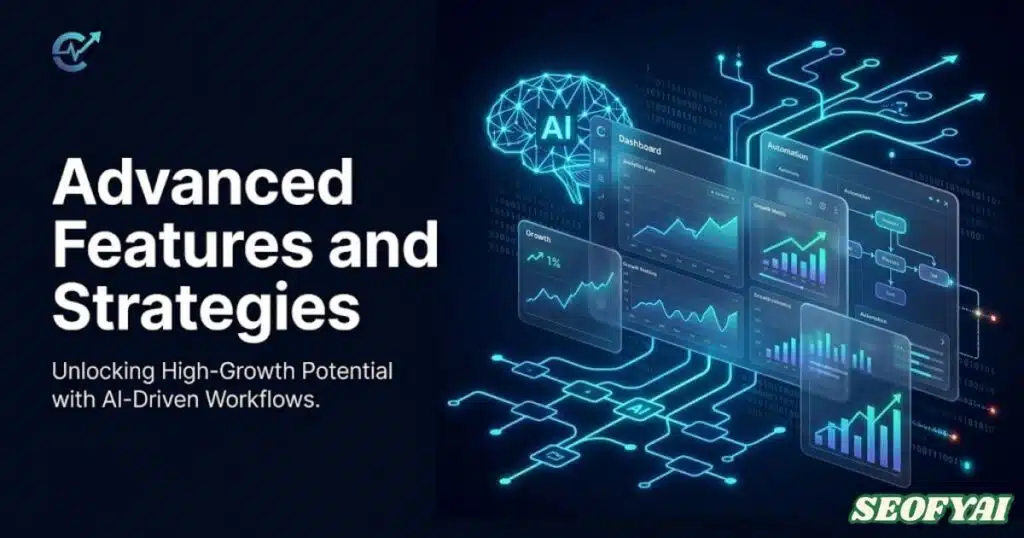
Connected apps for ChatGPT unlock exponential value when Pulse syncs with your existing productivity ecosystem completely. Beyond Gmail and Google Calendar integrations, the platform connects to project management tools like Asana, Trello, and Monday.com.
These integrations enable AI workflow automation that surfaces project-relevant insights directly within task management interfaces. Imagine receiving competitor analysis briefings attached to strategic planning tasks automatically.
Slack integration delivers proactive AI briefings to team channels so entire departments benefit from collective intelligence simultaneously. Sales CRM connections like Salesforce allow Pulse to enrich contact records with real-time company news and trigger events.
Marketing teams connect analytics platforms so AI-assisted decision-making considers performance data alongside external intelligence. The ChatGPT integrations philosophy emphasizes working where you already work rather than forcing platform switching.
Creating Custom Briefing Templates
ChatGPT Pulse becomes more effective when users create custom briefing templates for recurring research tasks. These templates can organize competitive analysis, industry reports, pricing updates, or market trends into consistent formats that are easier to review.
Advanced users can customize briefing instructions to control how Pulse prioritizes information. For example, major competitor launches may receive detailed analysis, while minor updates get shorter summaries. This approach helps create AI briefings that match specific business and decision-making needs.
Leveraging Pulse for Team Collaboration
Teams can use ChatGPT Pulse as a shared intelligence system to reduce duplicated research and improve collaboration. Marketing, sales, and management teams can track relevant updates while receiving personalized AI insights based on their roles and responsibilities.
Managers can monitor productivity signals, project updates, and important business changes through AI-generated summaries. For remote teams, proactive AI briefings make information accessible across different time zones without relying on frequent status meetings.
Using Pulse with ChatGPT’s Memory Feature
Combining ChatGPT memory with Pulse creates more personalized AI experiences by allowing the system to understand your interests, priorities, and communication preferences. Previous conversations can help improve future briefing recommendations and make insights more relevant.
As users provide feedback and interact with AI-generated summaries, Pulse adapts to preferred formats, analysis depth, and important topics. This memory-based personalization helps deliver smarter AI briefings that support better decision-making over time.
Compliance, Privacy, and Data Usage
Understanding Data Collection Practices in ChatGPT Pulse
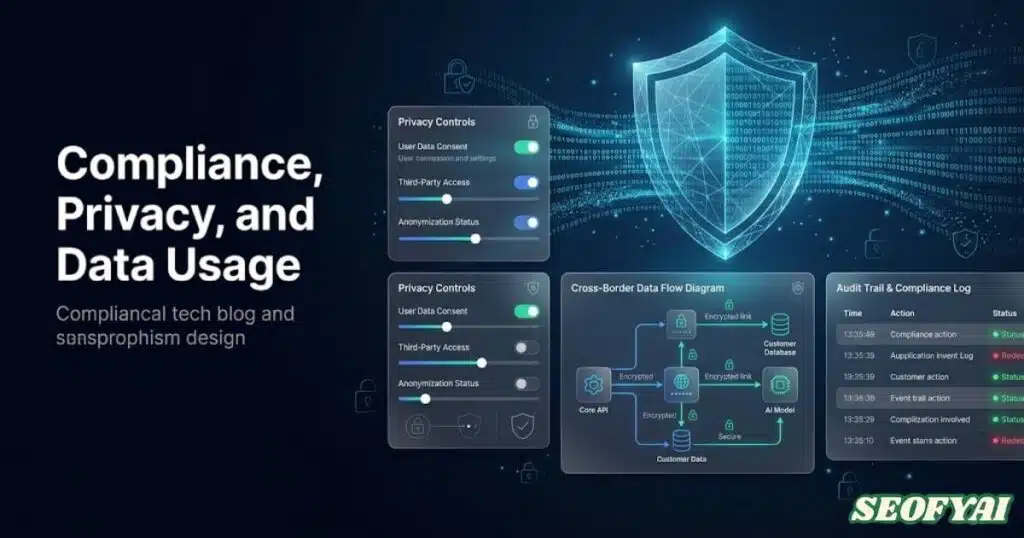
Learning how to use ChatGPT Pulse effectively starts with understanding how your information is collected and used. ChatGPT Pulse may use interaction data, including the topics you follow, briefings you read, and feedback you provide, to improve the relevance of AI-generated updates and personalized recommendations. Understanding these data practices helps users make informed decisions about their privacy while benefiting from proactive AI assistance.
Users should review connected integrations, such as calendar and email tools, before enabling them. These integrations typically rely on permission-based access, allowing users to control what information ChatGPT can access.
Reviewing account settings, feedback history, and personalization options helps maintain control over AI recommendations and ensures that ChatGPT Pulse delivers useful insights based on your preferences.
Privacy and Compliance Considerations
Privacy awareness is an important part of learning how to use ChatGPT Pulse responsibly. Users should understand available privacy controls, including options related to data management, personalization, and account settings. Regulations such as GDPR and CCPA provide users with rights related to accessing, managing, and deleting personal information.
Maintaining transparency around AI-generated recommendations allows users to balance convenience with privacy. Regularly reviewing connected applications, permissions, and stored preferences helps ensure that ChatGPT Pulse remains aligned with your comfort level and professional requirements.
Security Best Practices for ChatGPT Pulse Users
Before exploring how to use ChatGPT Pulse for professional or personal productivity, secure your account with strong passwords and two-factor authentication. Since AI tools may connect with productivity platforms and contain valuable research preferences, protecting account access is essential.
Avoid tracking highly confidential information unless necessary, and regularly review connected applications. Smart usage involves understanding what information you share, how it improves AI recommendations, and when additional caution is required
Best Practices for Maximizing ChatGPT Pulse

Optimizing AI Briefing Frequency
One of the most important steps in learning how to use ChatGPT Pulse is choosing the right briefing schedule. Users in fast-changing industries may benefit from daily updates, while professionals in slower industries may prefer weekly summaries.
The ideal frequency depends on your workflow and information needs. Too many notifications can reduce productivity, while well-timed AI briefings can help you stay informed without overwhelming your schedule.
Creating Effective ChatGPT Pulse Topics
The quality of your results depends heavily on the topics you track. Instead of using broad searches, create specific prompts that match your goals.
For example, instead of tracking “marketing trends,” a more focused topic like “B2B SaaS marketing strategies with recent case studies” can provide more valuable insights. Clear instructions help ChatGPT Pulse understand your priorities and deliver more relevant information.
Measuring Productivity Improvements
To understand the value of ChatGPT Pulse, track how much time it saves and how effectively it improves your decision-making. Compare the time spent on manual research before and after using AI-powered briefings.
Successful use of ChatGPT Pulse is not only about receiving information but applying insights to improve planning, research, creativity, and daily productivity.
The Future of ChatGPT Pulse and AI Decision-Making

AI-Assisted Decision Making
As users become familiar with how to use ChatGPT Pulse, they can apply it for deeper research and strategic planning. AI-generated summaries can help identify trends, monitor industries, analyze competitors, and highlight important developments.
Professionals can use these insights to support better decisions while keeping human judgment at the center of the process.
Industry-Specific Applications
ChatGPT Pulse can support different industries by delivering customized updates based on professional needs.
- Healthcare professionals can monitor research developments and medical updates.
- Businesses can track competitors, market changes, and customer trends.
- Researchers can discover relevant studies and industry discussions.
- Creators can follow audience trends and content opportunities.
The ability to customize information sources makes ChatGPT Pulse useful across many fields.
Hidden Tips for Using ChatGPT Pulse Effectively
Many users only explore the basic features, but advanced settings can improve results significantly. Adjusting tracked topics, reviewing feedback, and refining preferences helps create a more personalized AI experience.
Users can also organize summaries into useful categories, revisit important insights, and build a personal knowledge system over time.
Creative Uses Beyond Work
Understanding how to use ChatGPT Pulse opens opportunities beyond professional productivity. Users can track personal interests such as financial news, learning resources, fitness research, technology updates, or creative inspiration.
The tool can act as a personalized information assistant that helps users stay updated without manually searching multiple sources.
Conclusion:
Knowing how to use ChatGPT Pulse effectively means treating it as a personalized AI research assistant rather than just another notification tool. The best results come from choosing meaningful topics, adjusting briefing schedules, reviewing recommendations, and continuously improving preferences.
By combining AI-powered updates with thoughtful decision-making, users can save time, discover valuable insights, and improve productivity. Whether you are a professional, entrepreneur, student, or creator, ChatGPT Pulse can help transform the way you collect and use information.
Frequently Asked Questions
What does ChatGPT Pulse do?
ChatGPT Pulse delivers personalized daily AI research and summaries, proactively gathering information from your past chats and connected apps to help you stay informed and productive.
How do I access Pulse on my phone?
You can access Pulse on iOS or Android through the ChatGPT app by enabling it in settings and turning on memory.
How to use ChatGPT for beginners?
Start by asking simple questions, exploring suggestions, and using ChatGPT Pulse for daily AI insights and summaries to guide learning and productivity.
What can a ChatGPT assistant do?
It can answer questions, draft content, manage tasks, summarize information, and provide personalized insights based on your input and preferences.
Can ChatGPT act as my personal assistant?
Yes, with features like Pulse, memory, and app integrations, ChatGPT can act as a personal AI assistant, helping you schedule, research, and manage daily tasks.

Abdul Manan is a professional SEO content creator and AI-SEO strategist at seofyai.com. He specializes in helping businesses rank higher on Google through AI-powered, data-driven content optimization. Connect on LinkedIn or visit seofyai.com for expert SEO tips.